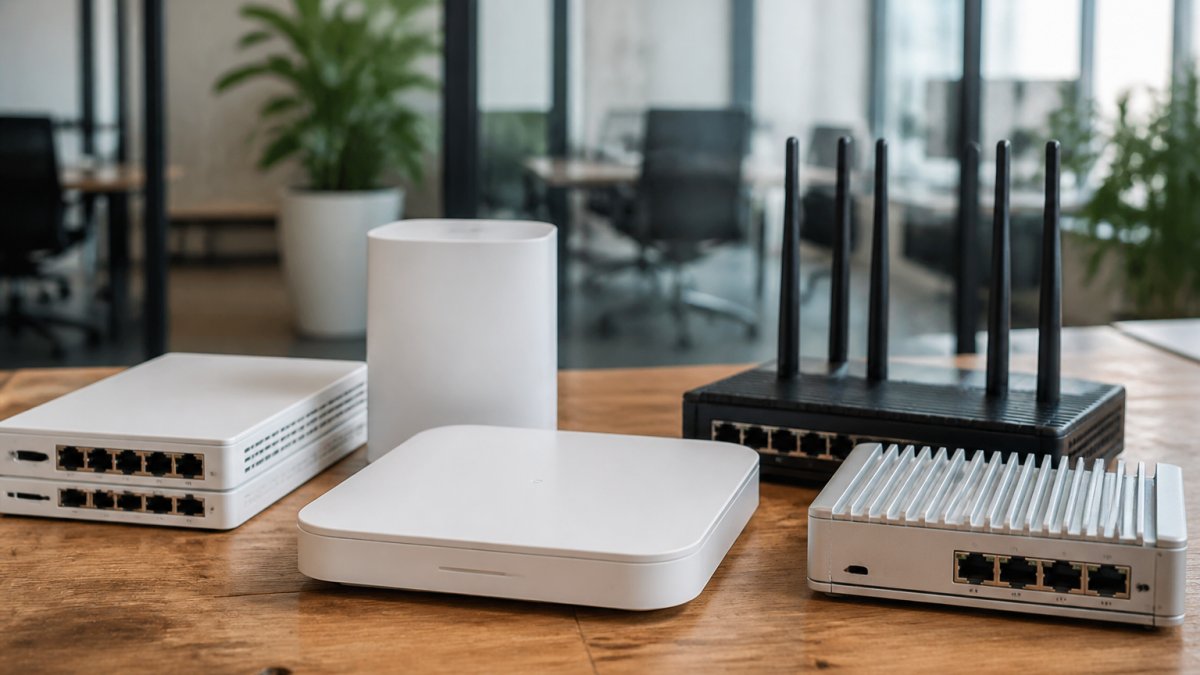
 comparison
Is Managed IT Support Worth It for Startups?
Table of Contents
- What Managed IT Support Actually Does for Startups
- Managed IT Services Cost for Small Businesses: Real Numbers
- Managed IT vs. In-House IT: Which Model Fits Your Startup
- Startup IT Infrastructure Setup: Scalability Without Overbuilding
- Security, Compliance, and Risk: Why Startups Can't Skip This
- Managed Service Provider Checklist: What to Evaluate Before Signing
- When Managed IT Support Isn't Worth It for Your Startup
- Frequently Asked Questions
Last Updated: October 12, 2026
What Managed IT Support Actually Does for Startups
Managed IT support means outsourcing your technology infrastructure to a dedicated provider instead of managing it in-house.
For startups, the question of whether is managed it support worth it for startups addresses a real problem: you need reliable technology to compete, but you can't afford a full IT department. A managed IT provider becomes your external IT team.
The appeal is straightforward. You get professional IT expertise without the overhead of hiring, training, and retaining in-house staff. Your technology stays current, your data stays protected, and your team focuses on building the business instead of troubleshooting printers.
Whether is managed it support worth it for startups depends entirely on your startup's stage, growth rate, and how much technical debt you're willing to carry. Not every early-stage startup needs managed IT support. Some do better starting lean.
Managed IT Services Cost for Small Businesses: Real Numbers
Pricing varies widely based on scope and provider, but understanding the cost structure, and the break-even math, helps you evaluate whether it makes financial sense for your startup.
How providers price. Most managed IT providers charge monthly fees using one of three models:
- Per-user (per-seat): A flat monthly rate for each employee or mailbox. Common for cloud-heavy, remote-first teams.
- Per-device: A flat monthly rate for each laptop, desktop, server, or network appliance under management.
- Flat-rate tiered: A bundled monthly fee for a defined service tier (for example, a help desk tier versus a fully managed tier that includes security operations and compliance support).
Base fees typically include monitoring, patch management, security updates, help desk support, and basic backup. Add-ons, cloud migration projects, specialized compliance work, on-site visits, hardware procurement, and custom integrations, usually cost extra.
A fully loaded in-house hire includes more than salary:
- Base salary and payroll taxes
- Health, dental, and retirement benefits
- Recruiting and onboarding costs
- Software, tools, and certifications
- Training time and management overhead
- Coverage gaps when that person is sick, on vacation, or resigns
A single generalist IT hire rarely covers security operations, network engineering, compliance, and 24/7 monitoring on their own.
A common pattern. Startups frequently underestimate how much unplanned IT spending they're already doing: emergency break-fix calls, lost productivity when systems fail, ad-hoc contractor invoices, and the founder's own time spent troubleshooting.
Hidden costs to ask about. Beyond the monthly fee, clarify:
- Onboarding and setup fees, often a one-time charge for discovery, documentation, and tool deployment.
- Out-of-scope work, projects, migrations, and hardware installs billed hourly.
- Minimum contract terms, 12, 24, or 36 months, with early-termination penalties.
- Data ownership and exit assistance, who owns the documentation, credentials, and configurations if you leave.
Small business technology cost guidance
A note on scale. Per-seat pricing means your bill grows linearly with headcount.
Managed IT vs. In-House IT: Which Model Fits Your Startup
The choice between managed IT and hiring your own IT person isn't purely financial, it's about flexibility, expertise, and how you want to scale.

In-house IT means you hire a full-time or part-time technician. You control their schedule, priorities, and work directly. They become familiar with your specific systems and can respond immediately to urgent issues.
Managed IT outsources these problems. You get access to a team with diverse expertise, automatic coverage when someone is unavailable, and scalability built in.
For most startups under 20 people, managed IT makes more sense. You get professional support without the overhead.
Computer Experts Corp serves startups across this spectrum, offering both fully managed support and hybrid arrangements that scale with your growth.
Startup IT Infrastructure Setup: Scalability Without Overbuilding
Building IT infrastructure for a startup is a balance between having what you need now and avoiding overinvestment in capacity you won't use for years.
The mistake most startups make is either building too much (expensive, wastes resources) or building too little (creates bottlenecks, forces expensive rework later). A managed IT provider helps you right-size your infrastructure.
Key components to plan for:
- Network architecture: Designed to handle growth without requiring a complete rebuild in two years
- Cloud services: Scalable by nature, but need proper setup and integration
- Data storage and backup: Must grow with your data volume without manual intervention
- Security foundation: Built in from day one, not added later as an afterthought
- Endpoint management: Tools to monitor and secure devices across your team
The infrastructure decision affects your ability to scale. If you build it wrong, you'll either outgrow it quickly or waste money on capacity you don't need. A managed IT provider designs infrastructure that grows with you, avoiding both extremes.
Security, Compliance, and Risk: Why Startups Can't Skip This
Many early-stage founders think security is a later concern. It's not. A single data breach can end a startup before it gets traction.
Learn more about our services today! →
If you handle customer data, payment information, or health records, compliance isn't optional. Regulations like HIPAA (for healthcare), PCI DSS (for payment processing), and others impose specific security and audit requirements.
Even if you're not in a regulated industry, security matters. Ransomware, data theft, and account compromise are common attacks on small businesses.
A managed IT provider handles security infrastructure: firewalls, threat monitoring, intrusion detection, endpoint protection, and regular security assessments. They keep your systems patched and up-to-date, reducing vulnerabilities.
For startups in regulated industries, this is non-negotiable. For others, it's risk management. The cost of a breach, downtime, recovery, legal, reputation damage, far exceeds the cost of preventive security.
Managed Service Provider Checklist: What to Evaluate Before Signing
Not all managed IT providers are equal. Before signing a contract, evaluate these factors.
Service-level agreements (SLAs): This is your guarantee. What's the response time for critical issues? For non-critical?
Scope of services: What's included in the base fee? What costs extra?
Expertise and industry experience: Do they understand your industry's specific needs? If you're in healthcare, do they have HIPAA experience?
Scalability: Can they grow with you? What happens when you add 20 new employees?
Local presence: For critical issues, is someone available locally, or are you dealing with a remote-only provider?
Vendor lock-in and exit terms: What happens if you want to switch providers?
References and track record: Ask for references from similar-sized startups. How long have they been in business?
Computer Experts Corp, as the Bay Area's oldest IT service provider, brings decades of experience serving startups and small businesses.
When Managed IT Support Isn't Worth It for Your Startup
Managed IT isn't the right choice for every startup. The honest answer depends less on company size and more on stage, risk profile, and whether you have real technical talent in-house. Here's a framework for deciding.
A stage-based decision framework.
- Pre-seed / idea stage (0-5 people): Infrastructure is usually laptops, cloud SaaS, and a shared drive. A full managed service is typically premature. A fractional IT consultant or a part-time contractor for occasional help is usually enough.
- Seed stage (5-20 people): You have paying customers, a growing team, and data worth protecting. This is where managed IT usually starts to pay for itself, especially if you're handling customer data or operating in a regulated space.
- Series A / growth (20-50 people): Onboarding, offboarding, device management, and security operations become real workloads. A managed provider or a hybrid model (one internal IT lead plus a managed provider for specialized work) is common.
- Scale (50+ people): A small internal IT team supported by a managed provider for specialized functions, security operations, compliance, or after-hours coverage, is the typical pattern.
When managed IT is genuinely not worth it.
- You're truly pre-revenue with minimal infrastructure. If you're still building the product and running on laptops and cloud tools, managed IT overhead exceeds your needs. Wait until you have paying customers and operational demands.
- Your technical needs are minimal. If your startup runs entirely on cloud software with no on-premises infrastructure, a good IT consultant for occasional help may be cheaper than a full managed contract.
- You have strong internal technical talent. If a founder or early employee has serious IT and security skills and wants to own infrastructure, forcing managed IT is unnecessary overhead. Be realistic, though, about whether one person can maintain everything while also building the business, and what happens when they leave.
- You're in a non-regulated industry with no sensitive data. The security argument weakens if you don't handle customer data, payment information, or regulated content. You can still benefit, but it's less critical.
- You can't commit to a contract. Some providers require 12- to 36-month terms. If your startup's future is genuinely uncertain, that inflexibility may not work.
How to evaluate a provider's promises. If you do decide managed IT is worth it, hold the provider to measurable commitments. Ask for:
- Response and resolution targets, for example, a stated response time for critical versus non-critical issues.
- Uptime commitments, what percentage of monitored systems the provider guarantees, and what remedies apply if they miss it.
- Escalation paths, who you call when the first-line technician can't resolve an issue.
- Reporting cadence, monthly or quarterly reviews showing tickets, resolution times, and security events.
The bottom line. Managed IT support is worth it for most startups that have paying customers, growing teams, and data to protect. It becomes less essential if you're earlier stage, have minimal infrastructure, or have strong technical talent in-house. The decision isn't permanent, revisit it at each funding stage, because the right answer at 8 people is rarely the right answer at 40.
Frequently Asked Questions
Is managed IT support worth it for startups with fewer than 20 employees?
For startups under 20 people, managed IT support often makes sense if your business depends on consistent uptime, handles sensitive data, or operates in regulated industries like healthcare or finance. A managed service provider handles network monitoring, security updates, and disaster recovery without requiring a full-time IT hire. The trade-off: you lose direct control over some decisions. If your startup runs lean software with minimal infrastructure needs, break-fix support (pay-per-incident) might be cheaper initially, but managed IT prevents costly downtime that could derail early-stage growth.
How much does managed IT support typically cost for a startup?
Managed IT pricing depends on the number of users, systems to monitor, support tier (response time), and services included. Rather than estimate costs that may not apply to your situation, contact providers directly for a quote based on your specific setup. Be clear about what's included (network monitoring, patch management, help desk) versus what costs extra, and ask about contract terms and exit clauses before committing.
What's the difference between managed IT and break-fix support?
Break-fix support is reactive: you call when something breaks, and you pay per incident. Managed IT is proactive: the provider monitors your systems 24/7, applies updates automatically, and prevents problems before they happen. Break-fix is cheaper upfront but unpredictable in cost and leaves you vulnerable to downtime. Managed IT costs more monthly but offers predictable budgeting, faster response times, and fewer emergencies. For startups, managed IT reduces the risk of a network failure that could cost thousands in lost productivity.
What should I look for in a managed IT provider for my startup?
Evaluate providers on response time guarantees (ideally under 1 hour for critical issues), local availability (remote support alone may not cut it for urgent on-site needs), industry expertise (especially if you're in healthcare, finance, or legal), and service-level agreements with clear uptime targets. Ask for references from similar-sized businesses and verify they have experience with your specific compliance needs. Confirm what's included in the base fee and what triggers additional costs. Check contract flexibility, some startups need to scale quickly or pivot, so avoid providers with punitive exit fees.
The decision to adopt managed IT support ultimately comes down to your startup's stage, growth rate, and risk tolerance. If you're managing technology while trying to build a business, managed IT support frees you to focus on what matters. Computer Experts Corp helps startups eliminate IT overhead, strengthen security, and build infrastructure that scales. Learn more about our services today and see how managed IT support can accelerate your startup's growth.