 blog
blog
Structured Cabling vs Wireless for Offices
Table of Contents
- Structured Cabling vs Wireless for Offices: Core Differences
- Wired vs Wireless Network for Business: Performance and Reliability
- Office Wi-Fi Network Design: Wireless Coverage and Scalability
- Structured Cabling Benefits and Drawbacks for Modern Offices
- How Structured Cabling Supports Wi-Fi Infrastructure
- Security, Compliance, and Cost Considerations
- Making the Right Choice for Your Office
- Frequently Asked Questions
Last Updated: October 10, 2026
Structured Cabling vs Wireless for Offices: Core Differences
Structured cabling vs wireless represents one of the most fundamental decisions in office network design. The choice between these two approaches determines how reliably your team connects to resources, how secure your data remains, and how easily you can scale as your business grows.
Structured cabling uses physical cables to connect devices to a central network infrastructure, while wireless relies on radio frequencies. Each approach has genuine strengths and real limitations.
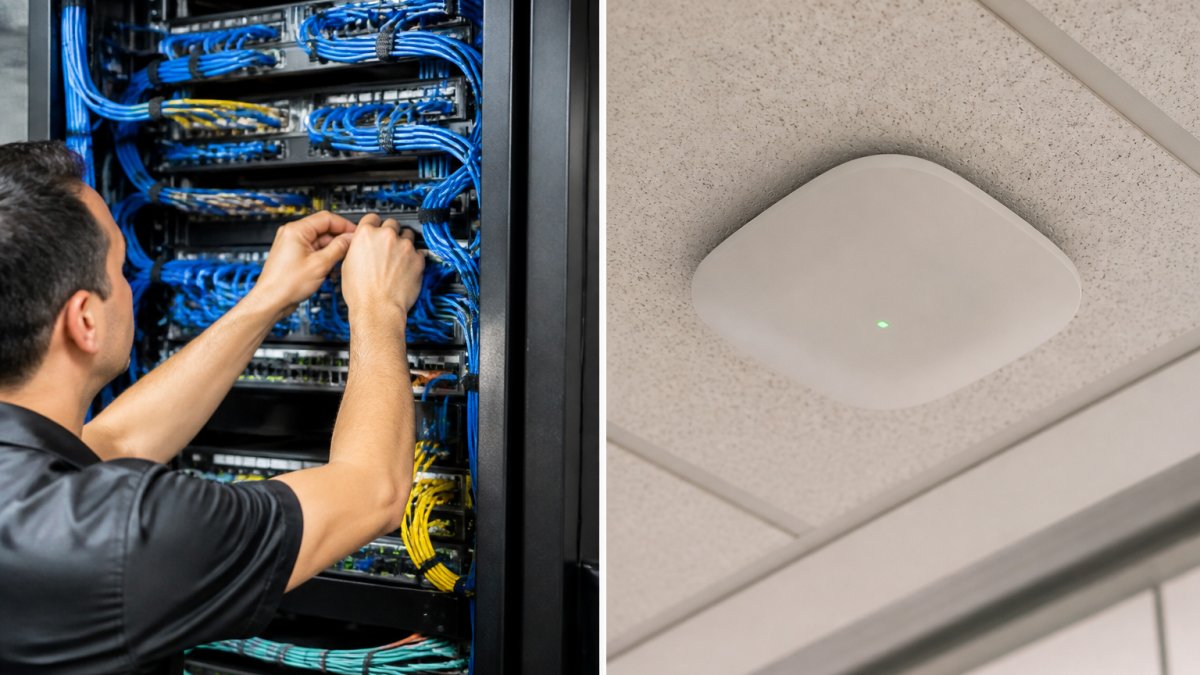
Structured cabling delivers consistent performance, inherent security, and predictable behavior. Wireless offers mobility and flexibility that wired systems cannot match. Most modern offices need both working together effectively.
Wired vs Wireless Network for Business: Performance and Reliability
A wired vs wireless network for business decision hinges on three measurable factors: speed consistency, latency, and uptime.
Throughput and Speed Consistency
Structured cabling delivers consistent high speeds. Wi-Fi 6 typically delivers 400-600 Mbps in real-world conditions and degrades as users multiply; at 30 devices, throughput per user drops to 15-25 Mbps. A wired gigabit connection maintains high speeds per device regardless of congestion.
Latency and Responsiveness
Wired connections maintain low latency consistently. Wireless ranges from 10-50 ms and spikes to 100+ ms when signal weakens. For most office tasks this is imperceptible, but for specific workloads it becomes critical:
- VoIP and video conferencing: Latency above 150 ms causes noticeable delay. Wired stays well below this; wireless can exceed it during peak usage.
- Real-time collaboration tools: Latency above 50 ms creates lag. Wired is consistently responsive; wireless requires careful access point placement.
- Cloud applications: Database queries and cloud storage access feel snappier over wired. Wireless users experience pauses that accumulate into perceived slowness.
Uptime and Reliability
Structured cabling has high uptime and experiences less unplanned downtime. Wireless networks require ongoing management and typically experience more unplanned downtime annually depending on management quality and environmental factors.
For mission-critical applications, this reliability gap is not theoretical. A healthcare practice losing access to patient records faces regulatory and patient safety concerns. A financial services firm losing connectivity during market hours faces revenue loss and compliance violations.
When the Difference Matters
If your team relies on cloud-based applications, video conferencing, or real-time data access, structured cabling eliminates performance variables. Wireless can serve as a supplementary access layer. Teams working primarily with email and document storage experience less friction from wireless variability.
Office Wi-Fi Network Design: Wireless Coverage and Scalability
Office Wi-Fi network design requires careful planning to avoid dead zones, interference, and performance degradation. Coverage depends on access point placement, transmit power, antenna orientation, and physical environment. Buildings with multiple floors, thick walls, or metal elements require more access points and careful channel management.
Adding users to wireless networks increases congestion on the same radio channels. A network designed for 30 employees may struggle with 50. Upgrading means replacing access points, not simply adding capacity like you would with structured cabling.
Cordless phones, microwave ovens, neighboring Wi-Fi networks, and Bluetooth devices compete for the 2.4 GHz spectrum. The 5 GHz band offers more channels but shorter range. Wireless excels for mobility and flexibility but requires ongoing management and accepts performance variability.
Structured Cabling Benefits and Drawbacks for Modern Offices
Structured cabling benefits include performance consistency, every device receives the same reliable, high-speed connection with no degradation as users increase. Bandwidth is predictable and manageable.
Wired connections are inherently more difficult to intercept than wireless signals. Physical access to cables or patch panels is easier to control and audit than wireless signal propagation.
Learn more about our services today! →
Structured cabling supports future growth without major overhauls. Adding devices or expanding typically requires only connecting cables to existing infrastructure.
Installation requires planning, conduit runs, cable termination, and testing. It's more expensive upfront than wireless. Moves and changes require physical work. Structured cabling also requires dedicated infrastructure space for server rooms, cable trays, and patch panels.
How Structured Cabling Supports Wi-Fi Infrastructure
How structured cabling supports Wi-Fi infrastructure combines the strengths of both approaches. Structured cabling provides the backbone, carrying all traffic between access points and the rest of your infrastructure. Wireless becomes a last-mile access layer, not the entire network.
Access points connected via structured cabling can be placed strategically for optimal coverage. Each connects to the wired backbone, so wireless never becomes a bottleneck. Users experience consistent performance whether wired or wireless.
This hybrid approach simplifies management. Wireless handles mobility; structured cabling handles reliability, security, and core performance. The structured cabling investment provides decades of value while access points are upgraded every 5-7 years.
Security, Compliance, and Cost Considerations
Security and Interception Risk
Structured cabling is inherently more secure because physical access is required to intercept traffic. Wireless signals propagate through walls and can be captured from outside. Modern Wi-Fi encryption (WPA3) provides strong protection, but the attack surface remains larger than wired networks.
For regulated data, the difference becomes compliance-critical. HIPAA (healthcare) requires wired connections for systems accessing patient data. PCI DSS (payment card industry) requires wired infrastructure as baseline for credit card data. SOX (financial services) requires wired infrastructure for audit trails. FERPA (education) often requires wired connections for student records.
If your compliance framework requires "secure" network access, wireless alone typically does not satisfy the requirement.
Cost Comparison: Upfront vs. Long-Term
Structured Cabling Installation Costs: Small office: $15,000-$30,000; Medium office: $40,000-$80,000; Large office: $100,000-$250,000+. Installation takes 4-12 weeks.
Wireless Network Deployment Costs: Small office: $3,000-$8,000; Medium office: $12,000-$25,000; Large office: $40,000-$80,000. Deployment takes 1-3 weeks but requires ongoing costs.
10-Year Cost of Ownership (Medium Office):
Structured cabling: $60,000-$110,000 (infrastructure remains relevant for 15-20+ years)
Wireless-only: $50,000-$90,000 (requires access point replacement every 5-7 years)
Hybrid approach: $75,000-$130,000 (10-20% higher than wireless-only but delivers better performance and security)
Operational and Hidden Costs
Wireless networks incur costs beyond hardware and licensing:
Learn more about our services today! →
- Troubleshooting time: Wireless performance issues (interference, coverage gaps, access point failures) require investigation and remediation. Wireless performance issues can require significant troubleshooting time and labor costs annually.
- Access point replacement cycles: Wi-Fi technology evolves every 5-7 years. Older access points become unsupported, security patches stop being released, and performance lags. Replacing access points across an office can incur significant costs and installation time.
- Interference management: If your office is in a dense building (urban office park, multi-tenant building), neighboring networks and devices create interference. Managing channels, adjusting transmit power, and optimizing placement requires ongoing attention or a managed service contract ($200-$500 monthly).
- Security audits and compliance validation: Wireless networks require more frequent security assessments to satisfy compliance requirements. Budget for security testing and documentation.
Structured cabling incurs fewer hidden costs. Once installed and tested, it requires minimal ongoing attention beyond occasional visual inspection and documentation updates.
Retrofitting Costs and Constraints
Installing structured cabling after the fact is substantially more expensive than planning for it during construction or renovation. Retrofitting an established office building requires:
- Drilling through walls and floors
- Running conduit through existing spaces
- Coordinating with tenants to minimize disruption
- Potential asbestos or hazardous material remediation
- Restoration and painting
Retrofit costs are typically 2-3 times higher than new construction installation. Installation costs in a new space can be significantly lower than in a retrofit scenario. If you're in an established office building, the cost of retrofitting can be prohibitive, making wireless-first infrastructure more appealing despite its performance and security trade-offs.
Compliance-Driven Cost Implications
For offices in regulated industries, compliance requirements often eliminate the cost trade-off entirely. If your industry requires wired infrastructure for sensitive systems, you must budget for structured cabling regardless of wireless costs.
Making the Right Choice for Your Office
The decision between structured cabling vs wireless ultimately depends on your office's specific requirements, growth trajectory, and data sensitivity.
Choose structured cabling as your primary infrastructure if your office handles sensitive data, requires high reliability, or plans to remain in the same location for many years. The upfront investment pays dividends through consistent performance and simplified scaling.
Choose a hybrid approach, structured cabling backbone with wireless access, if you need both reliability and mobility. This is the most common recommendation for growing businesses that value flexibility without sacrificing performance.
Wireless-only networks make sense only for temporary spaces, highly mobile teams, or offices where cost constraints are absolute. Accept that you're trading performance consistency and security for simplicity and lower upfront expense.
Computer Experts Corp has guided many Bay Area offices through this decision. We design infrastructure that matches your actual needs, not an idealized version of them. Whether you're a startup scaling rapidly, a medical practice managing patient data securely, or an established firm optimizing your existing infrastructure, we help you build networks that work reliably today and scale efficiently tomorrow.
The complexity of modern office networks, cloud applications, video conferencing, mobile devices, and security requirements, demands infrastructure that can handle real-world demands. That's where structured cabling combined with strategic wireless access creates the best outcome for most organizations.
Choosing the right network infrastructure is one of the most important technology decisions your office will make. It affects employee productivity, data security, and your ability to grow. At Computer Experts Corp, we provide comprehensive network design and implementation services that help you build infrastructure matching your specific requirements. Our team handles everything from structured cabling installation to wireless optimization and ongoing management.
Frequently Asked Questions
Is wired internet more reliable than Wi-Fi for an office?
Yes. Structured cabling provides consistent speeds with minimal interference and no signal degradation over distance. Wired connections deliver dedicated bandwidth per device, eliminating the congestion that occurs when multiple users share wireless spectrum. Offices with critical operations, medical practices, law firms, financial services, typically rely on wired infrastructure for mission-critical systems because downtime directly impacts revenue and client trust. Wireless networks are convenient but inherently share bandwidth, making them less reliable under heavy load.
Which is more secure for a business network, wired or wireless?
Structured cabling is more secure by design. Wired networks require physical access to the infrastructure to intercept data, whereas wireless signals broadcast across your office and beyond, making them vulnerable to eavesdropping and unauthorized access. HIPAA-regulated practices and law firms handling sensitive client data typically segment critical systems on wired networks. Wireless can be secured with strong encryption and authentication, but it remains a higher-risk vector. A hybrid approach, wired for sensitive data, wireless for guest and general use, provides the best security posture.
Does an office need structured cabling if it already has Wi-Fi?
Not always, but most offices benefit from both. Structured cabling serves as the backbone that supports Wi-Fi access points, printers, security cameras, and other networked devices. If your office relies entirely on wireless, you lose redundancy; a single access point failure affects your entire network. Structured cabling also future-proofs your infrastructure for growth. Startups scaling from 15 to 50 employees will outgrow wireless quickly. Many modern offices use structured cabling as the foundation and layer wireless on top for flexibility and mobility.
How should a business choose between wired connections and Wi-Fi?
Evaluate your workload, growth trajectory, and security requirements. Offices where employees move frequently or hot-desk benefit from wireless mobility. Industries handling regulated data, medical, legal, finance, should prioritize wired infrastructure for critical systems. Consider your budget: structured cabling requires upfront installation but scales efficiently. Wireless is cheaper initially but may require frequent access point upgrades. The best approach for most businesses is hybrid: structured cabling for servers, printers, and security systems; wireless for laptops, phones, and guest access. Your IT provider can assess your specific needs and design a solution that doesn't require ripping out infrastructure in two years.