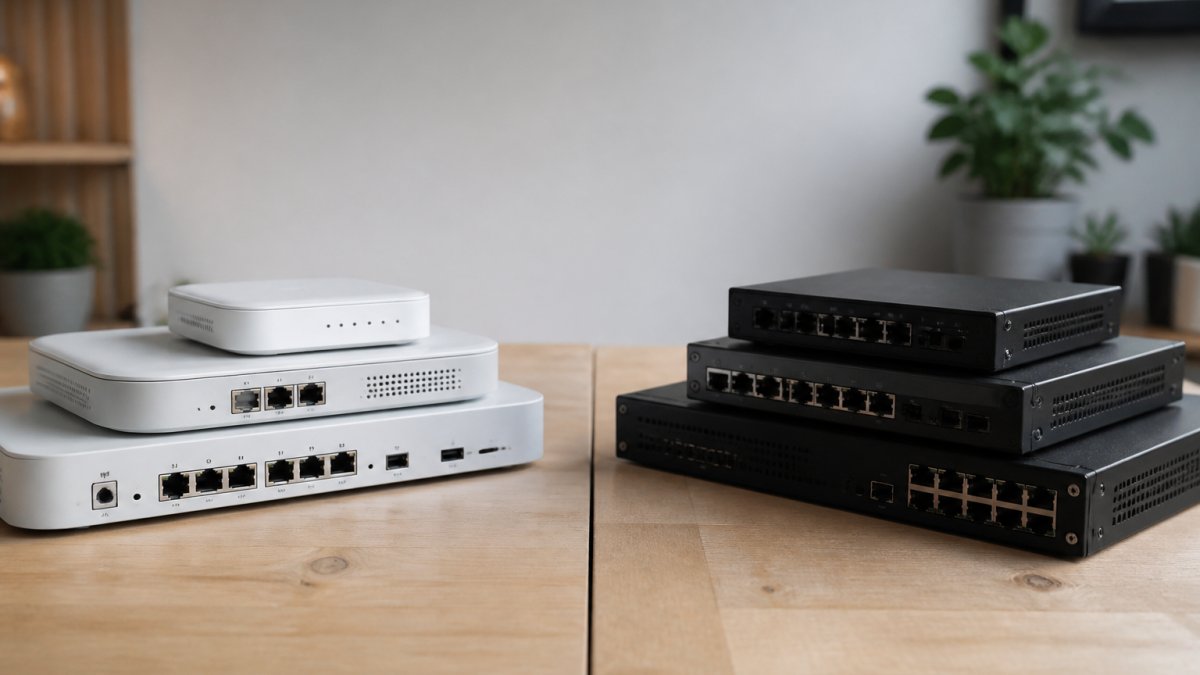
 comparison
Xantrion vs Other Managed IT Providers for Local Businesses
Table of Contents
- Xantrion Managed IT vs Other Providers: Quick Comparison
- How Xantrion Compares to Other Managed IT Service Providers
- Managed IT Services Pricing Models You Will Encounter
- Managed IT Services vs Internal IT Staff: Which Makes Sense?
- How to Choose an IT Support Company for Your Business
- Where Computer Experts Corp Fits in the Managed IT Landscape
- Conclusion
- Frequently Asked Questions
Last Updated: September 30, 2026
Xantrion Managed IT vs Other Providers: Quick Comparison
Xantrion managed IT is a Bay Area-focused provider built around structured, compliance-aware support for small and mid-sized businesses. This guide from Computer Experts Corp compares Xantrion to other managed IT service providers for local businesses, so you can weigh fit, pricing model, and coverage before you sign a contract.
The managed IT market has split into two camps. On one side sit providers like Xantrion that target regulated industries with fixed monthly contracts. On the other sit regional firms that mix break-fix work with ongoing support. Knowing which camp matches your operation matters more than any feature checklist.
Here is the short version before we get into detail:
| Provider Type | Pricing Model | Best For | Watch Out For |
|---|---|---|---|
| Xantrion | Per-user monthly contract | Compliance-heavy offices | Higher entry cost |
| Per-user subscription MSPs | Published per-user rates | Predictable budgets | Costs scale with headcount |
| Custom-contract MSPs | Quoted per engagement | Multi-site operations | Less price transparency |
| Internal IT staff | Salary plus benefits | Daily on-site needs | Hard to cover 24/7 |
Xantrion's pitch is straightforward: proactive monitoring, security oversight, and strategic IT planning under one monthly agreement. That model suits firms that need documented processes and audit-ready records. It fits less well for a five-person office that just wants a printer fixed.
Below, we break down where Xantrion wins, where it falls short, and how to decide whether a managed provider or an in-house hire makes more sense for your business.

How Xantrion Compares to Other Managed IT Service Providers
Xantrion competes on specialization, not price. The company focuses on regulated industries where documentation, security controls, and audit trails carry real weight. That focus shapes everything from its onboarding process to how it staffs its help desk.
Xantrion: Strengths and Trade-Offs
Xantrion is a managed IT provider that emphasizes compliance-ready infrastructure and strategic planning for professional services firms. Its core strength is consistency: standardized tools, defined response procedures, and reporting that stands up to scrutiny.
The trade-off is flexibility. Contracts tend to run on fixed terms with per-user pricing, which means a growing headcount raises your bill proportionally. Small offices sometimes find the minimum engagement larger than they need.
- Strengths: Compliance focus, structured onboarding, clear reporting
- Trade-offs: Higher entry point, less suited to very small teams
- Best fit: Firms in finance, legal, and healthcare with audit obligations
Other Providers: Where They Fit
Regional MSPs and per-user subscription providers fill the gaps Xantrion leaves open. Many publish transparent per-user rates, which makes budgeting simpler for a 10-person office. Others quote custom contracts for multi-site operations with complex network needs.
These providers vary widely in quality. A common mistake is choosing on price alone and discovering later that response times stretch during peak hours. Ask for written service-level commitments before signing anything.
Managed IT Services Pricing Models You Will Encounter
Managed IT services pricing falls into three main models: per-user subscriptions, custom contracts, and hybrid agreements that separate cloud costs from support costs. Each shifts risk differently between you and the provider.
Per-user subscriptions charge a flat monthly rate for each employee. Some providers publish per-user rates. That predictability helps smaller firms forecast spend.
Learn more about our services today! →
Custom contracts are quoted per engagement. They suit multi-site operations where user counts and infrastructure vary. The downside is less transparency upfront, so you need to push for a detailed scope.
Hybrid agreements split cloud and infrastructure costs from help desk support. This structure is common among providers serving growing startups that add cloud workloads faster than headcount.
Whichever model you choose, ask what triggers a price change. Headcount growth, added locations, and new compliance requirements are the usual culprits. Get those triggers in writing.
Managed IT Services vs Internal IT Staff: Which Makes Sense?
The managed IT services vs internal IT staff decision comes down to coverage hours and specialization depth. A single in-house technician cannot realistically cover nights, weekends, and vacation without backup. A managed provider can.
Internal staff win on daily presence. Someone who knows your office, your people, and your quirks solves small problems fast. That matters in practices where front-desk downtime stops revenue immediately.
Managed providers win on breadth. Few small businesses can afford to employ specialists in network security, cloud architecture, and compliance simultaneously. Outsourcing spreads that expertise across a monthly fee.
Many firms land on a hybrid: one internal point person who coordinates with an outside provider. That person handles day-to-day requests and escalates infrastructure work. It is often the most cost-effective structure for offices between 15 and 50 people.
Consider guidance from the Cybersecurity and Infrastructure Security Agency on small business security when weighing how much security expertise you need in-house. The answer shapes whether an internal hire alone is enough.
How to Choose an IT Support Company for Your Business
Choosing an IT support company starts with three questions: what response time do you need, what compliance obligations apply, and who covers emergencies after hours. Get clear answers in writing before you compare pricing.
Work through this checklist during evaluation:
- Ask for written response-time commitments, not verbal promises
- Confirm whether support is local or routed to a distant call center
- Request references from clients in your industry
- Verify the provider's experience with your compliance framework
- Ask what is included versus billed as an extra
- Confirm how onboarding and transition from your current provider works
- Check whether they support both on-site and remote needs
The transition question trips up more buyers than any other. Moving from a break-fix arrangement to a managed contract means handing over documentation, credentials, and hardware inventory. Ask how the provider handles that handover and how long it takes.
Pricing transparency is the second filter. Providers that publish per-user rates make comparison easy. Providers that quote custom contracts require more diligence, so request a sample scope document.
Learn more about our services today! →
Where Computer Experts Corp Fits in the Managed IT Landscape
Computer Experts Corp is the Bay Area's oldest IT service provider, offering managed IT solutions, on-site support, and network design for businesses, startups, and residential clients. That longevity means deep familiarity with the region's medical, legal, and financial practices and their compliance needs.
Where many managed providers specialize narrowly, Computer Experts Corp covers a broader service range. The team handles cloud computing, network design, surveillance installation, and 24/7 technical support, combining remote monitoring with on-site visits when hardware needs attention.
For practices weighing compliance risk, working with a provider that has supported medical and legal clients for years reduces the learning curve. For startups planning to scale, the same provider can design infrastructure that grows without a full rebuild.
Conclusion
Comparing managed IT providers gets complicated fast when every proposal uses different pricing structures and service terms. The right choice depends on your compliance obligations, headcount, and how much coverage you need outside business hours.
Computer Experts Corp brings the Bay Area's longest track record to that decision, with 24/7 support, both on-site and remote coverage, and specialized experience across medical, legal, and financial practices. The team also handles network design, cloud computing, and surveillance installation under one agreement.
Learn more about our services today and get a support plan built around how your business actually operates.
Frequently Asked Questions
What services does Xantrion provide for small businesses?
Xantrion offers managed IT services including help desk support, network monitoring, cybersecurity, and cloud services. For local businesses comparing Xantrion managed IT to other providers, the key difference often comes down to pricing model and local on-site availability. Some providers publish per-user rates, while others require custom quotes. Evaluate whether you need remote-only support or on-site visits for hardware and network issues.
How do I evaluate managed IT service providers in my area?
Start by listing your must-haves: response time guarantees, on-site support availability, industry-specific compliance experience (such as HIPAA for medical practices), and clear pricing. Ask for references from similar local businesses. Compare managed IT services pricing models side by side, whether per-user, per-device, or custom contract. A provider that publishes transparent starting rates makes budgeting easier, but confirm what is included versus billed separately.
What is the difference between break-fix IT and managed services?
Break-fix means you call a technician only when something breaks, and you pay by the hour or project. Managed services charge a recurring monthly fee to proactively monitor, maintain, and secure your systems. For local businesses with growing infrastructure, managed services often reduce downtime and surprise repair bills. However, if your technology needs are minimal and stable, break-fix can cost less annually. Assess your tolerance for downtime and your growth plans before deciding.
How much should a local business budget for managed IT services?
Budgets vary widely based on user count, service scope, and whether on-site support is required. Some providers list per-user pricing, but custom contracts are common. For a 10-person office, that baseline could mean a certain monthly cost before add-ons like compliance reporting or hardware management. Request itemized quotes from multiple providers and ask specifically what triggers extra charges, such as after-hours calls or on-site visits.
How does on-site support compare to remote-only IT management?
Remote-only support handles software, network configuration, and most troubleshooting via secure connections. On-site support adds physical visits for hardware failures, printer issues, surveillance installation, and network cabling. Local businesses with physical infrastructure like servers, security cameras, or specialized medical devices often need both. Confirm whether a provider offers on-site visits as standard or as a billable extra, and check their guaranteed response time for on-site requests.