 listicle
10 Essential Network Security Practices for 2026
Table of Contents
- Why Network Security Practices Need a 2026 Refresh
- 1. Enforce Multi-Factor Authentication Everywhere
- 2. Build a Practical Network Security Checklist
- 3. Run Phishing Simulations and Awareness Training
- 4. Understand Endpoint Security vs Antivirus for Modern Threats
- 6. Choose the Right Network Security Solutions for Small Business Network Security
- 7. Plan for Incident Response and Post-Incident Support
- Frequently Asked Questions
Last Updated: October 14, 2026
Why Network Security Practices Need a 2026 Refresh
Network security is the set of policies, tools, and controls that protect the integrity, confidentiality, and availability of a business network and its data.
Attackers now lean on social engineering, business email compromise, and smishing (SMS phishing) far more than crude malware. Ransomware operators target backups first, and a distributed workforce means your "perimeter" is a laptop on a home router.
Below are 10 essential network security practices for in 2026, with the network security checklist and small business network security moves that actually reduce risk.
1. Enforce Multi-Factor Authentication Everywhere
Multi-factor authentication (MFA) is the highest-return control you can deploy this year, blocking most credential harvesting attempts before they become breaches.
Push MFA to every email account, VPN login, and admin console. Then kill the weak spots:
- Disable SMS codes where a hardware key or authenticator app is possible
- Require multi-factor authentication on your email authentication and cloud admin accounts first
- Set conditional access so off-network logins trigger a second factor
A common mistake is rolling MFA out to staff but leaving service accounts and shared logins unprotected. Attackers find those gaps fast.
2. Build a Practical Network Security Checklist
A network security checklist turns good intentions into repeatable habits. Split it into daily and quarterly work.
Quarterly Tasks vs Daily Tasks
| Frequency | Task | Why It Matters |
|---|---|---|
| Daily | Review flagged email and failed login alerts | Catches credential harvesting early |
| Daily | Confirm backups ran and are restorable | Blocks ransomware use |
| Quarterly | Patch and update all systems | Closes known vulnerabilities |
| Quarterly | Run access review and remove stale accounts | Shrinks your attack surface |
| Quarterly | Test incident response runbook | Proves the plan works |
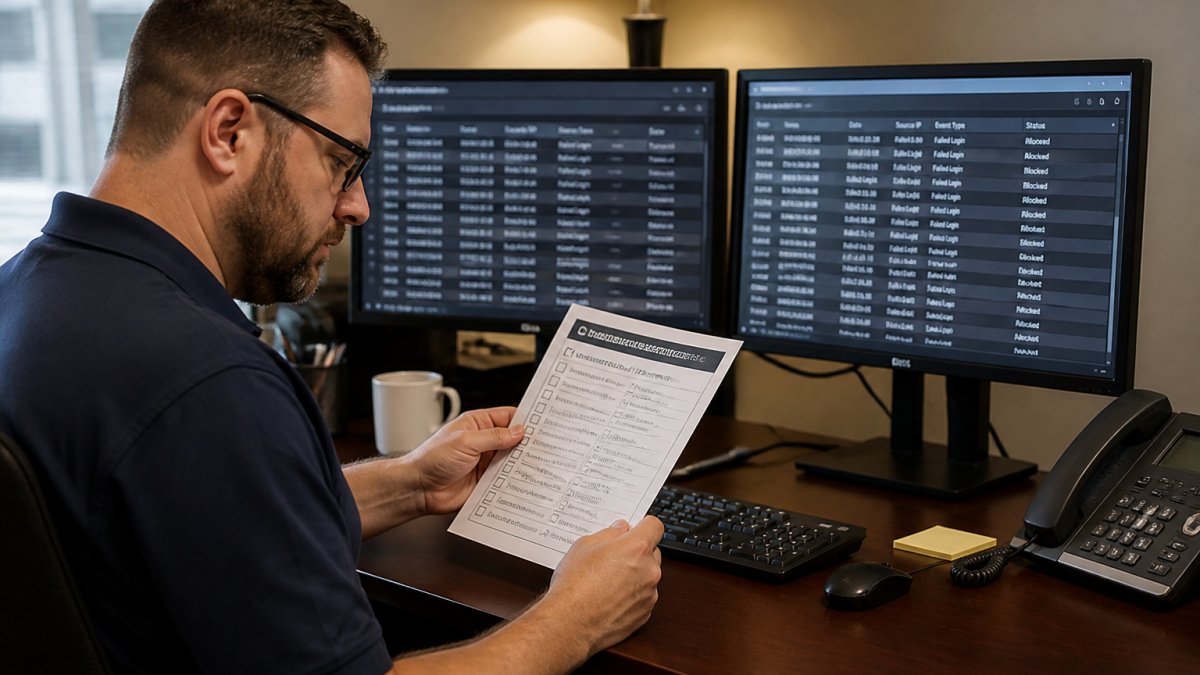
Daily items take minutes; quarterly items take an afternoon. Teams that skip the quarterly review get surprised by an old account an attacker reactivated.
3. Run Phishing Simulations and Awareness Training
Phishing simulations reveal who will click, who will report, and who will ignore. Run them monthly for high-risk roles (finance, HR, executives, IT admins) and quarterly for everyone else, not just once at onboarding.
A simulation program that actually changes behavior has four moving parts:
- Baseline. Send a neutral, low-difficulty lure first (a fake benefits update, a fake shipping notice) to measure starting click and report rates. Benchmark against your own first run, not a vendor's marketing number.
- Escalation. Increase difficulty gradually: generic lure → spoofed internal sender → spoofed executive → credential-harvesting page → attachment-based lure. Jumping straight to a convincing CFO wire-transfer email gives a scary number and no useful data.
- Immediate teachable moment. When someone clicks, show a short landing page explaining the specific indicator they missed (mismatched display name, lookalike domain, urgency cue) with a one-click "report this" button, not a 40-minute video.
- Re-test. Re-target clickers within 14-30 days with a similar lure. Improvement on the re-test matters more than the first click rate.
What to measure (and what to ignore)
- Click rate, useful as a trend line, not a scoreboard.
- Report rate, the most important number. A team with a 15% click rate and 60% report rate is safer than one with 5% and 5%, because reporters catch real attacks simulations can't predict.
- Time-to-report, median minutes from delivery to first report. Under 10 minutes is strong; over an hour means your reporting channel is too hard to find.
Cover the channels attackers actually use
Email-only programs miss where 2026 attacks land. Add:
- Smishing (SMS phishing), a simulated text with a shortened link or fake delivery-fee prompt. Teach users to long-press and read the full domain before tapping.
- Vishing (voice phishing), a scripted call from a "help desk" or "bank fraud department" asking for an MFA code or remote-support tool. Track whether the employee verifies the caller through a known internal number.
- Quishing (QR-code phishing), a printed or emailed QR code resolving to a credential-harvesting page, common in parking, event, and invoice lures.
Psychological triggers to name out loud in training
Attackers lean on a small set of levers. Teach employees to recognize the lever, not just the example:
- Urgency, "your account will be closed in 24 hours."
- Authority, a spoofed message from the CEO, a regulator, or a known vendor.
- Fear, a fake security alert or a fake invoice-overdue notice.
When an employee can name the trigger, they're far more likely to pause.
Onboarding and refresher cadence
New hires are a favorite target because they don't know your normal communication patterns. Put a short, role-specific security module in week one, then a live simulation within 30 days. After that, refresh training whenever the threat landscape shifts, a new smishing wave, ransomware tactic, or regulator alert, not only on a fixed annual calendar.
Technical controls that back up the training
Training without controls is a lecture. Layer these on:
- Email authentication, SPF, DKIM, and DMARC in enforcement mode so spoofed senders are rejected before reaching an inbox.
- External-sender banners, a visible tag on mail from outside your domain.
- Link rewriting and detonation, sandbox suspicious URLs at click time.
Proving the program is worth the spend
Track three numbers quarter over quarter: report rate (up), time-to-report (down), and real-world credential-harvesting incidents caught by employee report rather than a tool (up). Those tell a clearer ROI story than click rate alone.
Reward fast reporting publicly, a shout-out in a team channel, a small gift card, a spot in the monthly all-hands. Recognition is what turns a compliance exercise into a security culture where people compete to be the first to flag something odd.
4. Understand Endpoint Security vs Antivirus for Modern Threats
Endpoint security vs antivirus: antivirus scans files for known malware signatures, while endpoint security adds behavioral monitoring, detection, and automated response across the whole device.
(/secure-remote-access-medical-practices/) activity- Kill idle sessions automatically
6. Choose the Right Network Security Solutions for Small Business Network Security
Network security solutions should match your size and risk, not a vendor's sales pitch. Small business network security rarely needs an enterprise stack, but it needs the right layers.
| Solution | Starting Price | Best For | Standout Feature |
|---|---|---|---|
| FortiGate Next-Generation Firewall | $2,000 | Perimeter defense and segmentation | Deep packet inspection |
| Okta Workforce Identity | $3/user/month | Zero Trust access control | Adaptive MFA and SSO |
| Cisco Duo | $3/user/month | Simple MFA and device checks | Fast deployment |
| Tenable Nessus | $3,590/year | Regular vulnerability audits | Industry-standard scanner |
| KnowBe4 | Contact for pricing | Security awareness training | Large training library |
For practices handling regulated data, pair a firewall with identity controls and regular vulnerability scanning, Tenable Nessus surfaces the gaps an attacker would look for first. This is where a managed provider earns its keep: Computer Experts Corp designs and monitors these layers for medical, legal, and finance clients.
7. Plan for Incident Response and Post-Incident Support
An incident response plan decides whether a bad day becomes a catastrophe. Write it before you need it, test it twice a year, and keep a printed copy somewhere that doesn't depend on the network being up.
The plan itself
A workable plan fits on a few pages and answers five questions:
- Who decides? Name a primary incident commander and a backup, often the owner, IT lead, or your managed provider's on-call engineer. Everyone should know who that is before 2 a.m.
- How do we contain? Pre-write the steps: isolate the affected machine (pull the cable, disable the switch port, or use your EDR's network-isolate function), disable the compromised account, revoke active sessions and tokens, and rotate exposed credentials.
- How do we preserve evidence? Before wiping anything, capture memory and disk images, export logs, and save the original phishing email with full headers, traces you'll need for insurance, law enforcement, or legal review.
- How do we communicate? Draft holding statements for staff, customers, and vendors in advance, and decide who talks to the press versus counsel, usually not the same person.
- How do we recover? Restore from a tested backup isolated from the production network. Confirm it's clean before restoring, or you'll reinfect yourself.
Notification clocks you can't miss
Regulated practices face hard deadlines. Confirm current requirements with your compliance counsel or the relevant authority rather than guessing, but the general shape is:
- HIPAA, covered entities generally must notify affected individuals without unreasonable delay and no later than 60 days after discovery of a breach of unsecured protected health information; breaches affecting 500 or more individuals also trigger notice to the Secretary of Health and Human Services and, in many cases, the media.
- State breach-notification laws, every state has one, and the timelines and triggers vary. Some require notice in as little as 30 days; some require notice to the state attorney general in addition to affected individuals.
- Contractual clocks, payment processors, cyber-insurance carriers, and enterprise customers often impose their own notice windows (24-72 hours is common) that are shorter than any statute.
Put these deadlines in the plan with names and phone numbers, not just policy citations.
The part most guides skip: post-incident psychological support
Most incident response content stops at containment and recovery. The gap that determines whether your next incident is caught in minutes or hidden for weeks is what happens to the person who clicked.
A common pattern: an employee falls for a phishing email, feels ashamed, and delays reporting or quietly deletes the message. That silence turns a contained incident into a breach, and attackers count on it.
A post-incident culture that keeps people reporting looks like this:
- Debrief without blame. Run a short, structured review focused on what the attacker did and what controls failed, not on who clicked. Say "the lure got through because..." rather than "you should have noticed..."
- Separate the person from the event. State explicitly that falling for a well-crafted lure is not a character flaw; sophisticated lures fool experienced professionals.
- Offer real support. If a wire transfer, payroll diversion, or personal data was involved, the employee may fear for their job or finances. Point them to your EAP or a trusted manager, and make clear that reporting protected them.
Test the plan, don't just file it
Run a tabletop exercise twice a year. Pick a scenario, ransomware on the file server, a business email compromise wire transfer, a lost laptop with client data, and walk the team through the first hour. Time how long it takes to reach the incident commander, isolate a test machine, and find the notification deadlines. Fix whatever took too long.
Frequently Asked Questions
What are the most important network security practices for businesses in 2026?
Multi-factor authentication, regular phishing simulations, and endpoint detection and response top the list. These three address credential theft, human error, and malware, which cause most breaches. Pair them with network segmentation, a documented network security checklist, and quarterly vulnerability scans. For small teams, outsourcing to a managed provider covers gaps without hiring full-time security staff.
How can a small business secure its network on a limited budget?
Start with free or low-cost wins: turn on MFA for email and cloud apps, enable automatic patching, and train staff to spot suspicious attachments. Secure remote access solutions are available at various price points. A small business network security plan does not need enterprise tools to stop common attacks.
What is the difference between antivirus and endpoint security?
Antivirus scans files for known malware signatures. Endpoint security goes further: it monitors behavior, detects unusual activity like ransomware encryption, and can automatically isolate a compromised device. Tools like SentinelOne Singularity and CrowdStrike Falcon use AI to stop threats antivirus alone would miss. For any business handling customer data, endpoint security vs antivirus is not a close call. Endpoint protection is the baseline.
How often should businesses update their network security systems?
Patch critical vulnerabilities within 72 hours of release, and run full vulnerability scans quarterly using a tool like Tenable Nessus. Phishing simulations should run monthly or quarterly to keep awareness sharp. Review your network security checklist every six months and after any incident. Threats evolve quickly, so a yearly review leaves too much exposure between updates.
What should a network security checklist include?
A solid network security checklist covers MFA enforcement, patch management schedules, phishing simulation results, endpoint protection status, backup verification, and access reviews. Add network segmentation checks and incident response contacts. Review it quarterly and after any near-miss. For medical or legal practices, include HIPAA or compliance-specific items and document everything for audits.
A single missed MFA prompt or unreported phishing email can undo every other control you've built. At Computer Experts Corp, we handle the full stack: network design, 24/7 IT support, and on-site and remote response for medical, legal, and finance teams across the Bay Area. Our specialized industry solutions and scalable support for startups mean your defenses grow with you. Learn more about our services today and let us keep your infrastructure secure and efficient.